Data Status & Verification
- Region
- Global
- Client phase
- Global Season 1
- Verification
- Verified sources
- Last reviewed
- 2026-11-05
On This Page (7 Sections)▼
Where the coupon field lives
Three independent guides describe the same in-client route: open the main menu with Escape, choose Settings, switch to the Miscellaneous tab, open Account, paste the code into the Enter Coupon field and confirm. PCGamesN published those steps on November 3, 2026, ShowGamer on October 6, and Game-Zoom repeats the same Settings to Miscellaneous to Account sequence. None of them points to a web form, so a page asking for account credentials outside the client is not part of this system.
- 1Log in on the character that should receive the itemsRewards land in the inventory of the character logged in at redemption time, and they are bound, so pick before you confirm.
- 2Open the main menuPress Escape while in the world to bring up the menu.
- 3Open SettingsSelect the Settings entry on the right side of the menu.
- 4Switch to the Miscellaneous tabThe coupon field is not on the first settings screen.
- 5Open AccountSelect the Account tab inside Miscellaneous.
- 6Paste the code into Enter CouponCopy the exact string, including capital letters, and avoid trailing spaces.
- 7Confirm and check the inventoryA successful redemption adds the bound items immediately.
Published codes and their dates
The two aion 2 codes that have appeared in public code lists come from different campaigns, and the sources disagree on their status. ShowGamer published TAKEFLIGHTAION2 on October 6, 2026 and Game-Zoom still marks it NEW, while PCGamesN moved it to its expired list on November 3 and listed AION2SPOOKYDAEVA as the active aion 2 code instead. Both readings are recorded below with their own dates rather than picking one, because the difference is a real time gap: the launch coupon had an EU deadline of October 14, and the Halloween coupon belongs to an event that closed on November 4. A fourth list, Wotpack, records AION2SPOOKYDAEVA with a deadline of November 4, which explains why a coupon marked active on November 3 can be closed the next day. ExpCarry adds the regional split for the older launch coupon: EU expired October 14 at 08:00 CEST and NA on October 13. Both readings are kept as dated reports rather than merged into a single status.
| Code | Published or last checked | Rewards | Status as reported |
|---|---|---|---|
| TAKEFLIGHTAION2 | ShowGamer, October 6, 2026 | 4 Odyle Energy, 5 Resurrection Spiritstones, 10 Battle Enhance Scrolls, all bound | ShowGamer says EU redemption ended October 14 at 08:00 CEST; PCGamesN lists it as expired on November 3 |
| AION2SPOOKYDAEVA | PCGamesN, updated November 3, 2026 | 50 pumpkin coins, 2 Odyle Energy, 20 Halloween candy, 10 resurrection stones, 20 Halloween cookies | Listed as the active coupon on November 3. The Halloween event closed November 4, so confirm in the client before relying on it |
Why a coupon stops working
- The campaign window ended. Promo codes are tied to launches, holidays and milestones rather than being permanent.
- The account already claimed it. Redemption is once per account across all servers, not once per character.
- The string was mistyped. Capital letters matter, and a pasted trailing space is enough to fail the check.
- The region differs. The launch coupon carried an EU deadline of October 14 at 08:00 CEST while other regions had their own schedule.
- The reward chest is full or the character is on the wrong world. Log in on the intended character before confirming.
- The items are bound. Rewards from these coupons cannot be traded, so they cannot be moved to another character later.
Coupon codes, Twitch Drops and event mail are different
| Reward route | How it is claimed | What it pays | Where to read more |
|---|---|---|---|
| Coupon code | A string typed into Enter Coupon in the client | Bound consumables such as Odyle Energy and scrolls | This page |
| Twitch Drops | Watch time on an enabled channel, then claim on Twitch | Cosmetics, chests and materials in timed tiers | /twitch-drops/ |
| Event mail | Log in during the event window and open in-game mail | Odyle Energy boosts and check-in rewards | /updates/ |
Where new codes appear
NC has distributed coupons around launches, milestones and seasonal events. The official notice board and the in-client notices announce those campaigns, the Steam news hub carries the patch context, and the seasonal event pages on this site track the related reward windows. Twitch Drops are a separate account link and do not produce coupon strings. Treat any site that asks for a game password as unrelated to this system.
Updates and patch timeline
Dated campaigns, maintenance windows and the November 4 patch that opened the Ludra events.
Twitch Drops
The November 4 to 17 watch ladder and how claiming differs from a coupon.
Ludra raid
The raid whose return anchors the November reward calendar.
Coupon redemption walkthrough inside the game client
Verified against the real title and channel via the YouTube oEmbed endpoint, with English captions read below.
How to REDEEM CODES in AION 2 - FREE REWARDS & WORKING CODES
SimDEX · uploaded 2026-10-08 · 1:31
- Choose the receiving server and character before starting: each coupon is limited to one redemption per account.
- The route is Escape, Settings, Miscellaneous, Account, Enter Coupon, then Confirm. The creator states there is no official redemption website.
- Free inventory space is required before claiming, or the reward delivery can fail.
- The launch coupon is shown paying 4 Odyle Energy, 5 Resurrection Spiritstones and 10 Battle Enhance Scrolls. Automatic captions spell the code and the item names phonetically, so the code string is taken from the dated code lists instead.
- Codes expire and cannot be claimed twice on one account, so redeem on the main character while the window is open.
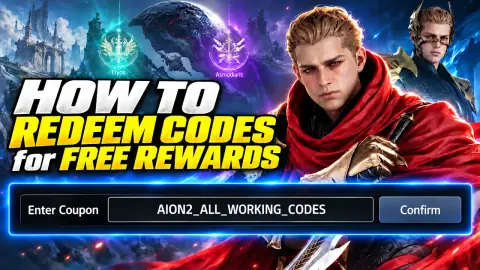 SimDEX · English captions
Where do I redeem aion 2 redeem codes?
Inside the game client: Escape, Settings, Miscellaneous, Account, Enter Coupon, then Confirm. Three published guides give the same path, and there is no separate redemption website to sign in to.
Which aion 2 codes are active in November 2026?
PCGamesN listed AION2SPOOKYDAEVA as active on November 3, 2026, and listed TAKEFLIGHTAION2 as expired. ShowGamer and Game-Zoom still show TAKEFLIGHTAION2 from their October articles. Because the Halloween event closed on November 4, check the coupon field in the client for the current answer.
Is there an aion 2 coupon code website?
No separate site is needed. The coupon field is in the client under Settings, Miscellaneous, Account. Any page that asks for account credentials outside the client is not part of this redemption system.
Why is my aion 2 code not working?
The usual reasons are an expired campaign, an account that already claimed the coupon, a typo or trailing space, a region deadline, or a reward chest that is full. Copy the exact string and check the official notice board for the window.
Can I use coupon codes twice on two characters?
No. Redemption is once per account across all servers, and the items are bound to the character that claimed them.
Are aion 2 codes the same as Twitch Drops?
No. A coupon is a string entered in the client once per account. Twitch Drops are earned with watch time and claimed through a linked Twitch account, with a separate reward ladder.
Sources checked for this page
- PCGamesN, Aion 2 codes, updated November 3, 2026:https://pcgamesn.com/aion-2/codes
- ShowGamer, Aion 2 codes, published October 6, 2026:https://showgamer.com/en/guides/6324-kody-aion-2-na-oktyabr-2026-goda-vse-rabochie-promokody-i-besplatnye-nagrady
- Game-Zoom, AION 2 codes, November 2026:https://game-zoom.net/en/aion-2-codes.html
- NC AION 2 official notice board:https://aion2.plaync.com/en-us/board/notice/list